Selection Manager
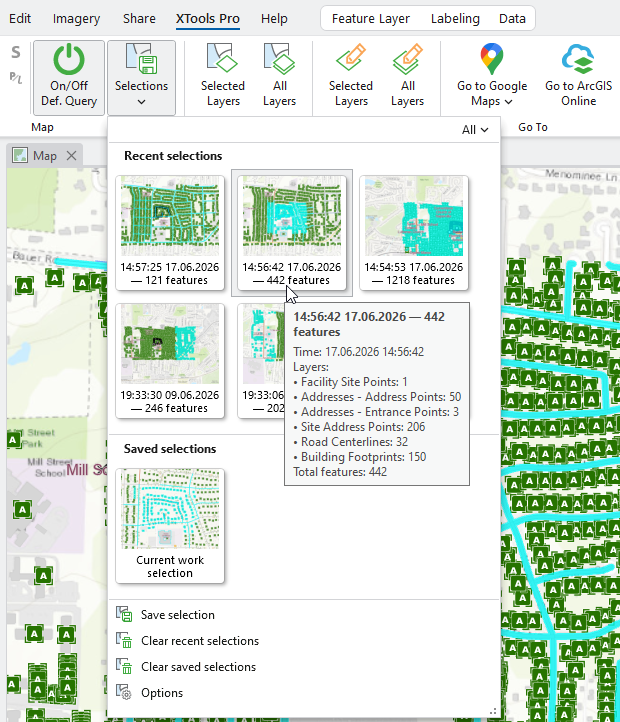
Allows saving feature selections in the maps and switching between recent and saved selections, enables restoring selections.
 Available in XTools Pro for ArcGIS Pro
Selecting features and working with features selections are common everyday tasks in GIS. Selection Manager is aimed to help users work more efficiently with feature selections in the maps in ArcGIS Pro. It allows saving selections for reuse and also enables restoring selections. For example, if you ever faced the need to save the selection in order to get back to it later without creating selection layers, or if you suffered from lost selections after manually and carefully selecting features and accidentally clicking on the next feature without Shift (or Ctrl) button pressed, Selection Manager is the solution.
Selection Manager provides a gallery with the recent and saved feature selections made in the active map:
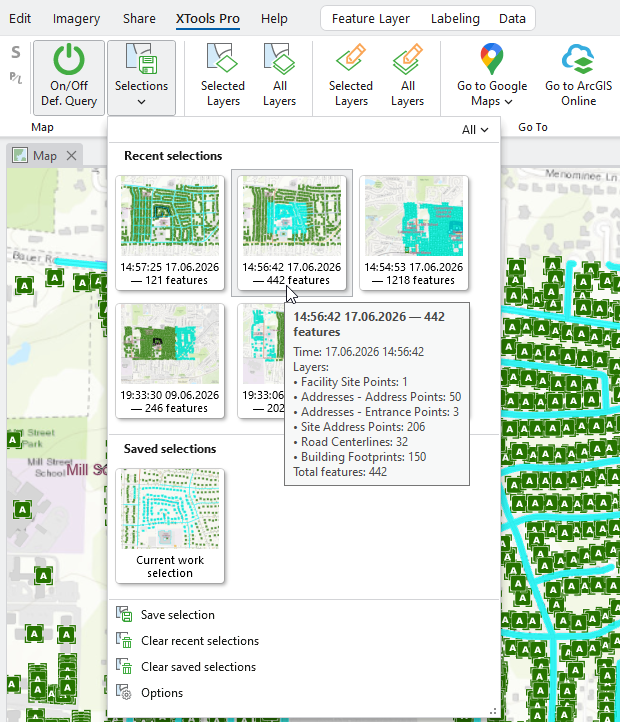
Here is what you can do with XTools Pro Selection Manager:
- Keep recent feature selections
- Save needed selection for reuse
- Easily switch between saved selections
- Restore accidentally lost selections
 Paid tool. Try this and all other XTools Pro features free for 14 days or buy XTools Pro license now.